GPT Image 2 API
Image APIHOTGPT Image 2 API is built for production image generation workflows that need prompt-driven creation, reference image editing, and predictable API payloads. Use it to create campaign visuals, product shots, social creatives, and design mockups without leaving the SdanceAI generation flow.
The current integration exposes Text to Image and Image to Image variants with 1K, 2K, and 4K pricing tiers, plus common aspect ratios for square, vertical, horizontal, and portrait outputs.
Lowest cost starts at $0.005/s
1K: 6 credits - Text to Image - Fixed per generation
2K: 10 credits - Text to Image - Fixed per generation
4K: 16 credits - Text to Image - Fixed per generation
1024x768: 1 credits/image - Text to Image - Images × 1
1024x768: 2 credits/image - Text to Image - Images × 2
1024x768: 8 credits/image - Text to Image - Images × 8
1024x768: 13 credits/image - Text to Image - Images × 13
1024x768: 29 credits/image - Text to Image - Images × 29
768x1024: 1 credits/image - Text to Image - Images × 1
768x1024: 2 credits/image - Text to Image - Images × 2
768x1024: 8 credits/image - Text to Image - Images × 8
768x1024: 13 credits/image - Text to Image - Images × 13
768x1024: 29 credits/image - Text to Image - Images × 29
1024x1024: 2 credits/image - Text to Image - Images × 2
1024x1024: 3 credits/image - Text to Image - Images × 3
1024x1024: 11 credits/image - Text to Image - Images × 11
1024x1024: 19 credits/image - Text to Image - Images × 19
1024x1024: 43 credits/image - Text to Image - Images × 43
1024x1536: 1 credits/image - Text to Image - Images × 1
1024x1536: 3 credits/image - Text to Image - Images × 3
1024x1536: 9 credits/image - Text to Image - Images × 9
1024x1536: 15 credits/image - Text to Image - Images × 15
1024x1536: 33 credits/image - Text to Image - Images × 33
1536x1024: 1 credits/image - Text to Image - Images × 1
1536x1024: 3 credits/image - Text to Image - Images × 3
1536x1024: 9 credits/image - Text to Image - Images × 9
1536x1024: 15 credits/image - Text to Image - Images × 15
1536x1024: 33 credits/image - Text to Image - Images × 33
1920x1080: 1 credits/image - Text to Image - Images × 1
1920x1080: 3 credits/image - Text to Image - Images × 3
1920x1080: 8 credits/image - Text to Image - Images × 8
1920x1080: 15 credits/image - Text to Image - Images × 15
1920x1080: 32 credits/image - Text to Image - Images × 32
1080x1920: 1 credits/image - Text to Image - Images × 1
1080x1920: 3 credits/image - Text to Image - Images × 3
1080x1920: 8 credits/image - Text to Image - Images × 8
1080x1920: 15 credits/image - Text to Image - Images × 15
1080x1920: 32 credits/image - Text to Image - Images × 32
2560x1440: 2 credits/image - Text to Image - Images × 2
2560x1440: 3 credits/image - Text to Image - Images × 3
2560x1440: 12 credits/image - Text to Image - Images × 12
2560x1440: 20 credits/image - Text to Image - Images × 20
2560x1440: 45 credits/image - Text to Image - Images × 45
1440x2560: 2 credits/image - Text to Image - Images × 2
1440x2560: 3 credits/image - Text to Image - Images × 3
1440x2560: 12 credits/image - Text to Image - Images × 12
1440x2560: 20 credits/image - Text to Image - Images × 20
1440x2560: 45 credits/image - Text to Image - Images × 45
3840x2160: 3 credits/image - Text to Image - Images × 3
3840x2160: 6 credits/image - Text to Image - Images × 6
3840x2160: 21 credits/image - Text to Image - Images × 21
3840x2160: 36 credits/image - Text to Image - Images × 36
3840x2160: 81 credits/image - Text to Image - Images × 81
2160x3840: 3 credits/image - Text to Image - Images × 3
2160x3840: 6 credits/image - Text to Image - Images × 6
2160x3840: 21 credits/image - Text to Image - Images × 21
2160x3840: 36 credits/image - Text to Image - Images × 36
2160x3840: 81 credits/image - Text to Image - Images × 81
USD estimates use $0.005/credit with the best annual plan. Final billing follows the selected resolution and model variant.
Core request fields
Use a compact payload for prompt, source images, aspect ratio, resolution, callback, and safety settings.
{
  "model": "gpt-image-2-5-flare-text-to-image",
  "input": {
    "prompt": "A cinematic night city poster with neon reflections on a rainy street.",
    "aspect_ratio": "3:2",
    "resolution": "1K",
    "background": "transparent"
  }
}
Use GPT Image 2.5 Flare Text to Image for generation
The playground, request sample, request fields, and pricing on this page follow the selected model type.
View detailed API docsOpen the full API documentation for endpoints, authentication, task polling, and payload details. /models/gpt-image-2.md
promptstringText prompt. Required, maximum 20,000 characters.aspect_ratioenumThe aspect ratio of the generated image is set to auto by default. The 27:16, 16:27, 9:8 and 8:9 aspect ratios support 1K only. 2K and 4K are available for other aspect ratios. (auto, 1:1, 3:2, 2:3, 4:3, 3:4, 16:9, 9:16, 21:9, 27:16, 16:27, 9:8, 8:9)resolutionenumImage resolution (1K, 2K, 4K)backgroundenumImage background (transparent, opaque, auto)What GPT Image 2 API adds to your image workflow
The page follows the same API-first structure as the reference: test the model, understand the fields, then move into integration.
Text-to-image creation
Turn structured prompts into production-ready visuals for posters, ads, thumbnails, concept art, and product scenes.
Reference image editing
Use image inputs to preserve subject context while changing style, background, layout, lighting, or product presentation.
Resolution tiers
Select 1K, 2K, or 4K output tiers to balance iteration cost, preview quality, and final asset sharpness.
API-ready payloads
Work with model IDs, callback URLs, prompt text, input image URLs, aspect ratios, and resolution fields in one predictable request.
From prompt test to image API request
A direct path for teams that want to validate image quality before wiring generation into an app or content pipeline.
1. Choose a mode
Select Text to Image for new visuals or Image to Image when you want reference-guided edits.
2. Submit generation
Call the API with your account key, model ID, prompt, optional input image URLs, aspect ratio, and resolution.
3. Poll and use
Track the task until it succeeds, then use the generated image result in your app, campaign, or asset library.
What you can create with GPT Image 2 API
Use the API when your product needs repeatable, high-quality image generation rather than one-off manual exports.
Successful GPT Image 2 generations from the community
Browse public GPT Image 2 outputs that finished successfully, then open any case to inspect the prompt, settings, and result.
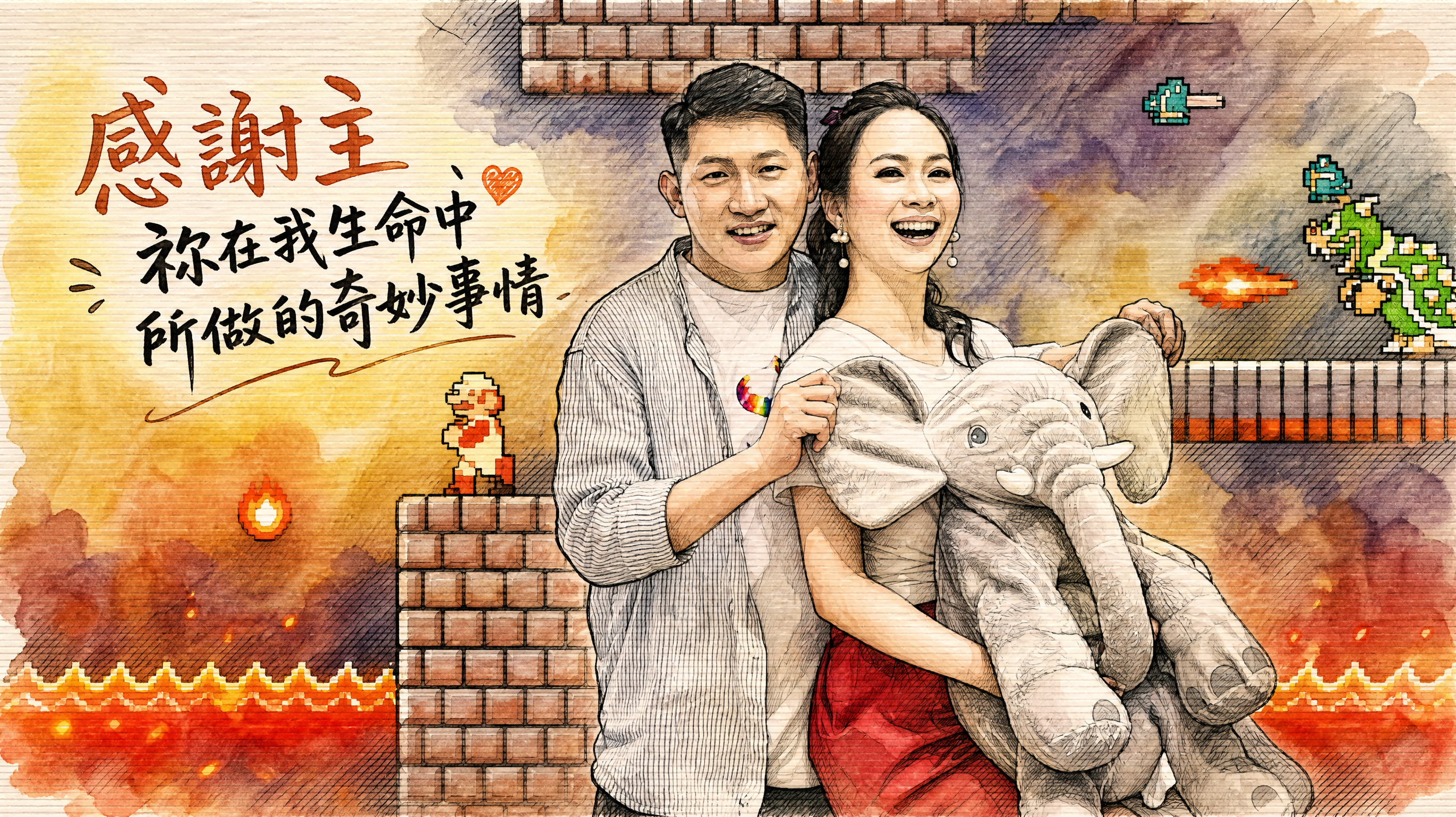
GPT Image 2 - Image To Image
▲畫面有明顯的這些文字: 感謝主 祢在我生命中所做的奇妙事情 ▲繪圖風格: 黑色墨水輪廓勾勒,筆觸大膽, 柔和水彩渲染, 交叉排線陰影技法, 邊緣暈染效果, MBM素描紙質感呈現,纖維略長且質地結實,紙面有明顯且獨特的橫條紋理, ▲搭配附件檔人物,可依據意境內容改變姿態 ▲搭配附件檔做襯托
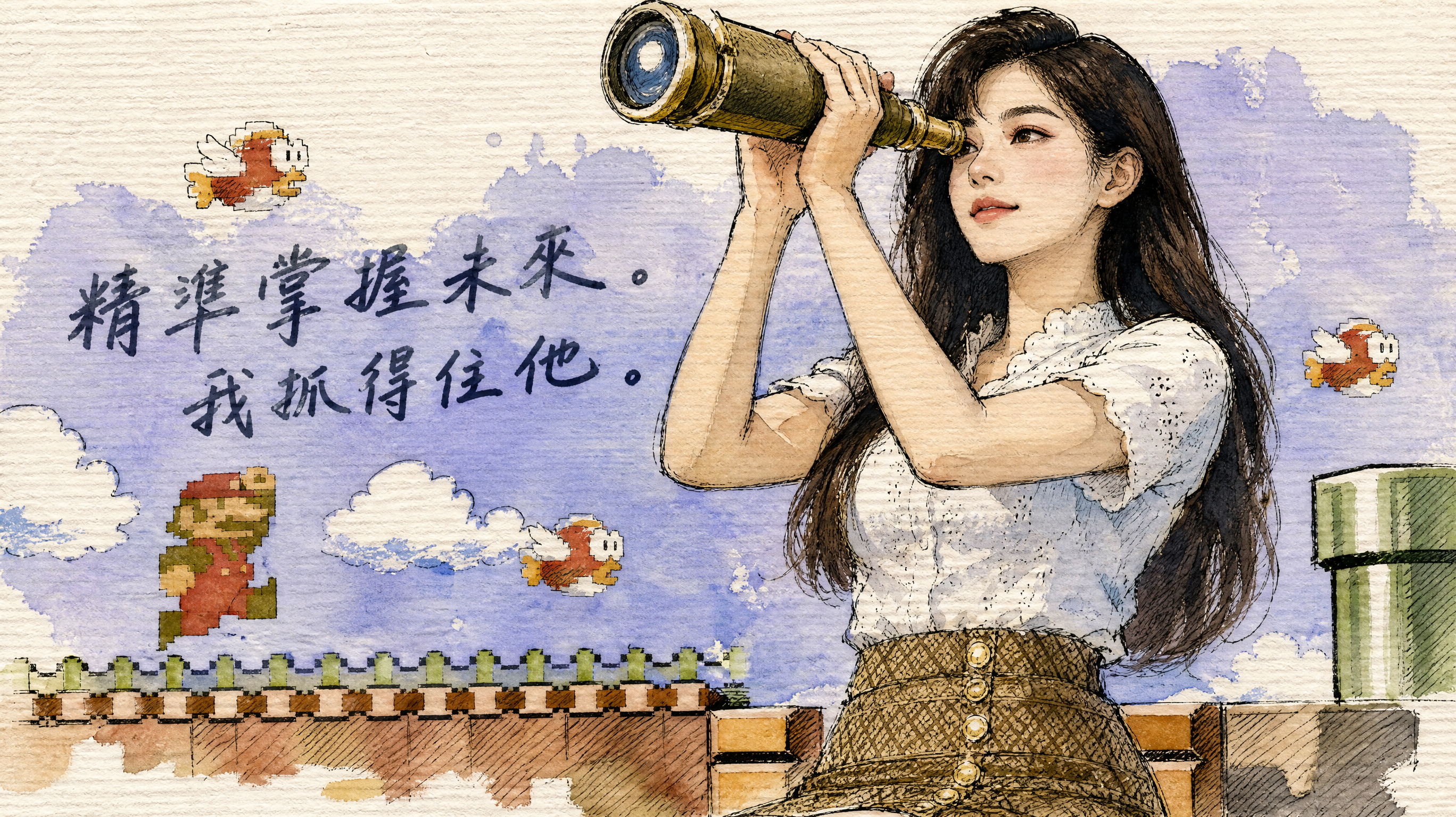
GPT Image 2 - Image To Image
▲畫面有明顯的這些文字: 精準掌握未來。我抓得住他。 ▲繪圖風格: 黑色墨水輪廓勾勒,筆觸大膽, 柔和水彩渲染, 交叉排線陰影技法, 邊緣暈染效果, MBM素描紙質感呈現,纖維略長且質地結實,紙面有明顯且獨特的橫條紋理, ▲搭配附件檔 ▲搭配類似附件檔人物服飾, 可依據意境內容改變姿態
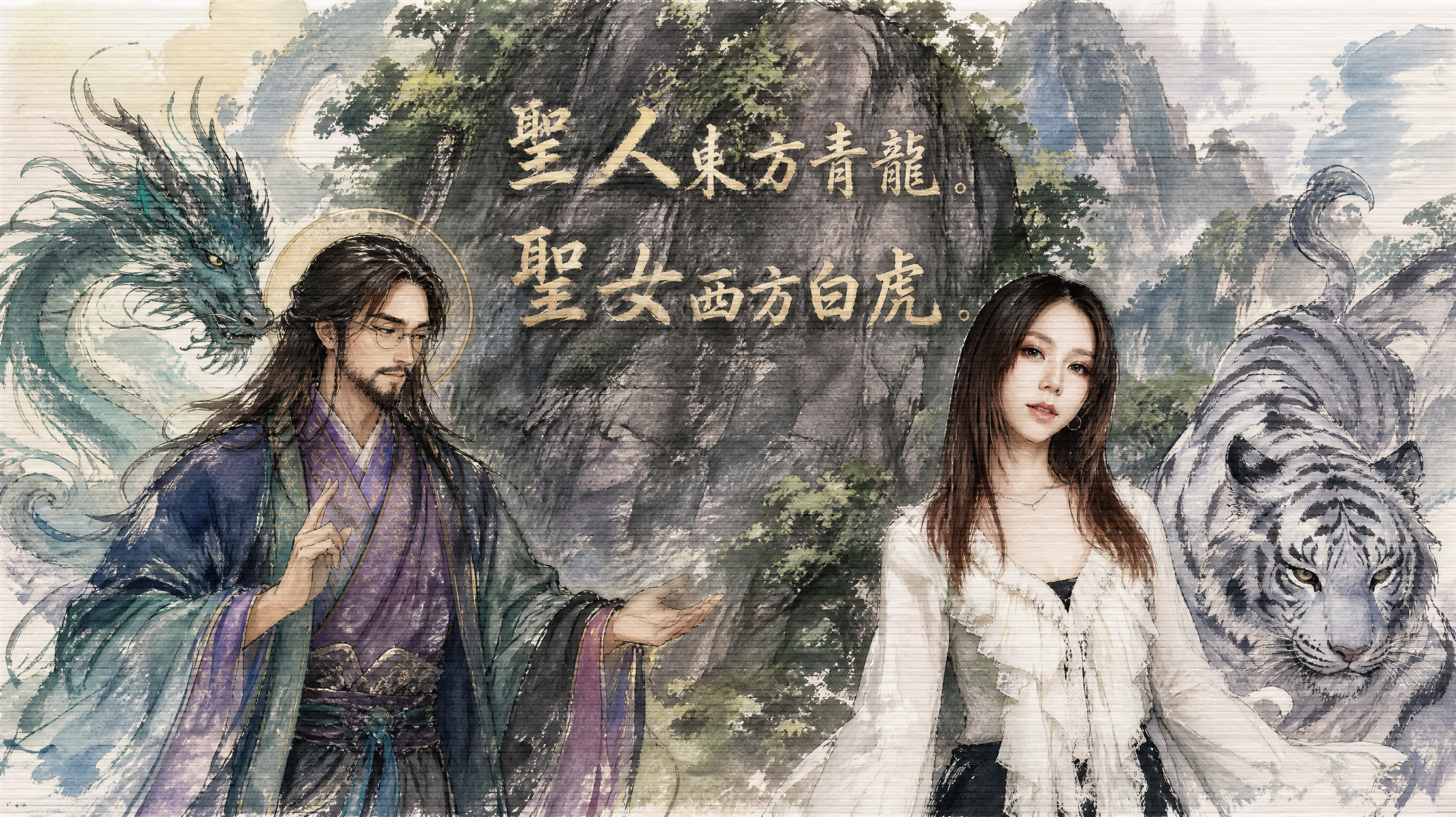
GPT Image 2 - Image To Image
▲畫面有明顯的這些文字: 聖人東方青龍。聖女西方白虎。 ▲繪圖風格: 黑色墨水輪廓勾勒,筆觸大膽, 柔和水彩渲染, 交叉排線陰影技法, 邊緣暈染效果, MBM素描紙質感呈現,纖維略長且質地結實,紙面有明顯且獨特的橫條紋理, ▲搭配附件檔 ▲搭配附件檔人物, 可依據意境內容改變姿態 ▲故事角色人物 聖人 是一名耶穌樣貌的華人男子有戴眼鏡穿著中式服飾,色系紫色綠色藍色青色黑色,
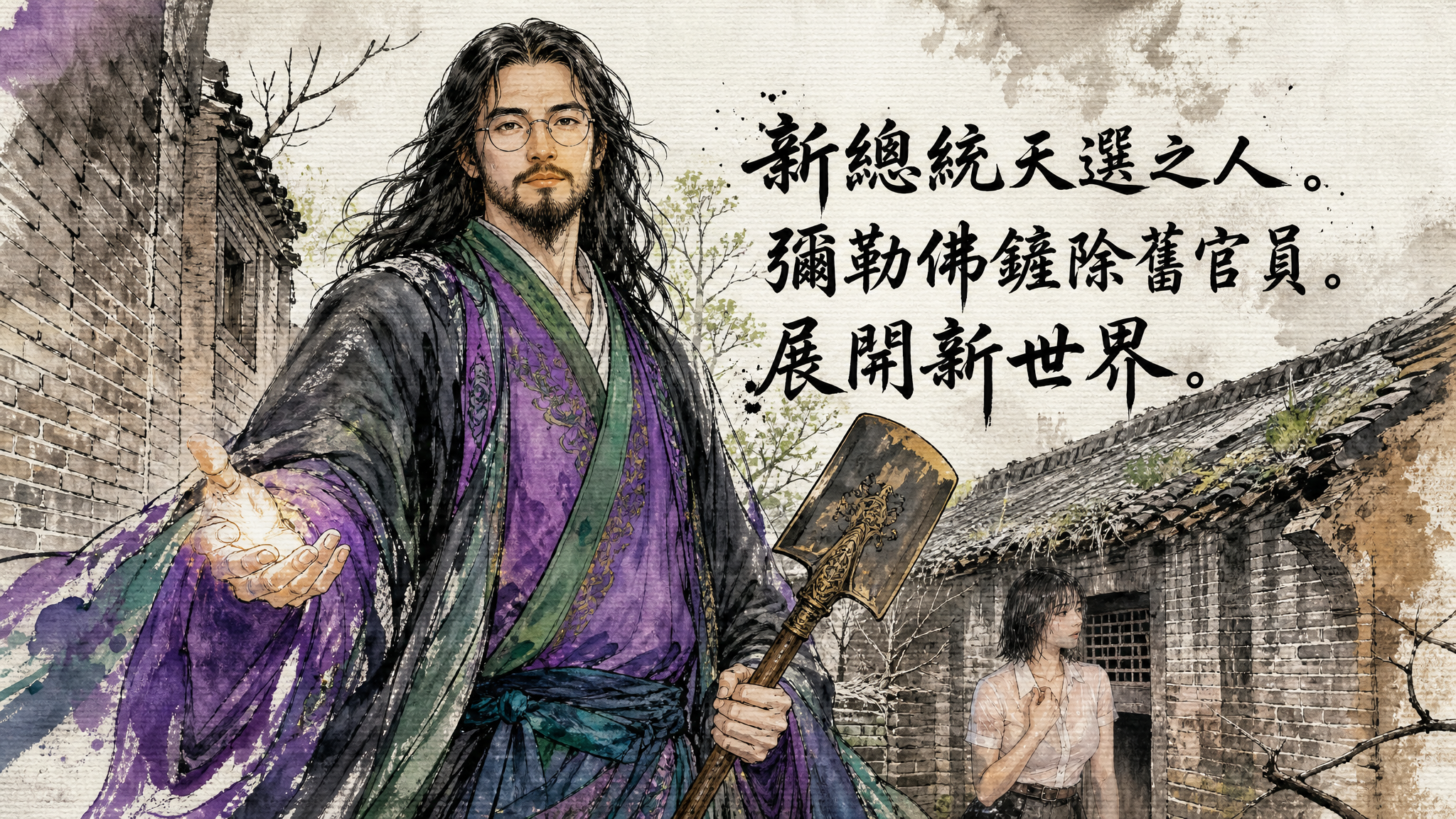
GPT Image 2 - Image To Image
▲畫面有這些文字: 新總統天選之人。彌勒佛鏟除舊官員。展開新世界。 ▲繪圖風格: 黑色墨水輪廓勾勒,筆觸大膽, 柔和水彩渲染, 交叉排線陰影技法, 邊緣暈染效果, MBM素描紙質感呈現,纖維略長且質地結實,紙面有明顯且獨特的橫條紋理, ▲搭配附件檔做襯托, ▲故事角色人物 彌勒佛 是一名耶穌樣貌的華人男子有戴眼鏡穿著中式服飾,色系紫色綠色藍色青色黑色,
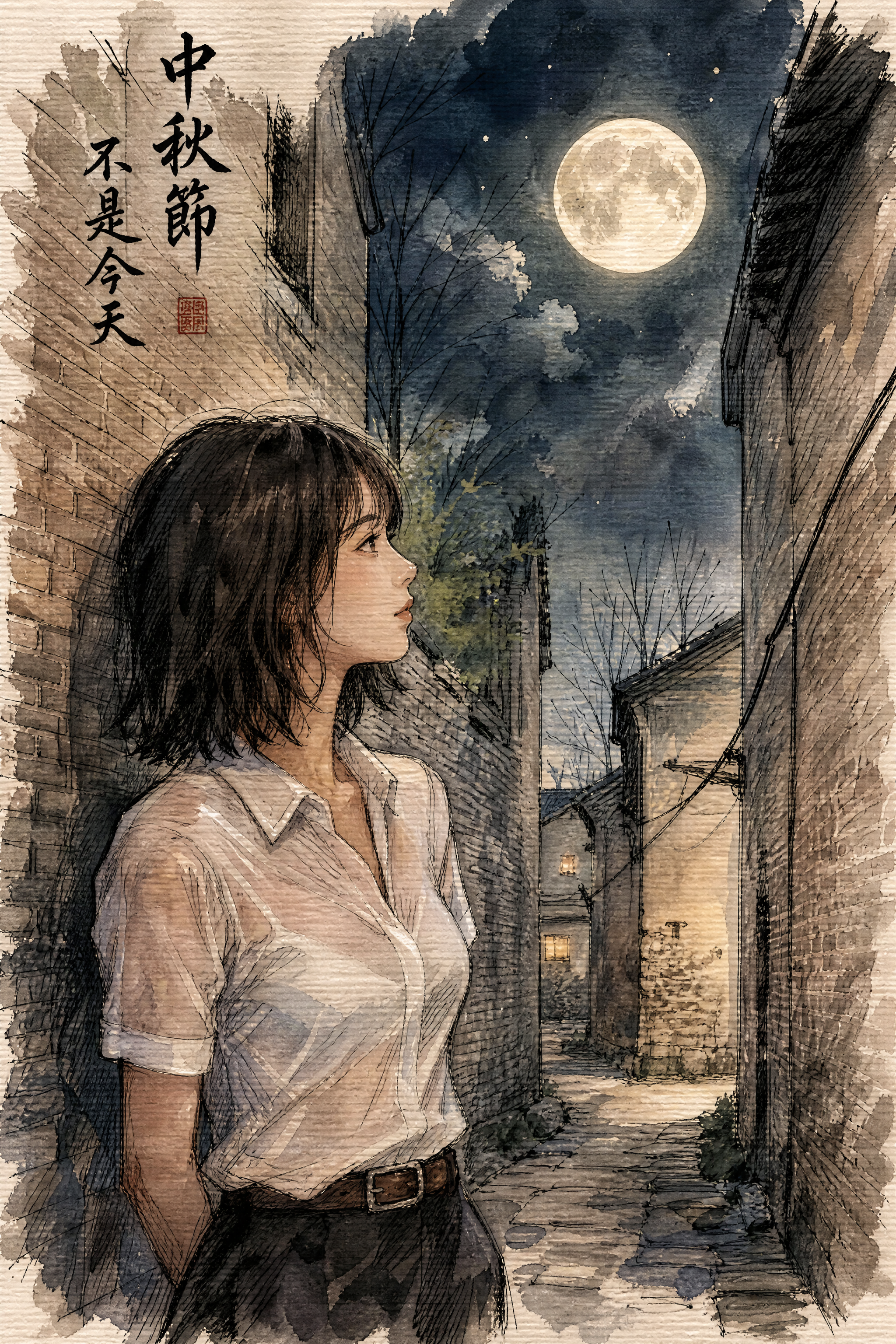
GPT Image 2 - Image To Image
▲畫面有這些文字: 中秋節不是今天 ▲繪圖風格: 黑色墨水輪廓勾勒,筆觸大膽, 柔和水彩渲染, 交叉排線陰影技法, 邊緣暈染效果, MBM素描紙質感呈現,纖維略長且質地結實,紙面有明顯且獨特的橫條紋理, ▲搭配附件檔做襯托,並且是月圓夜景 ▲搭配一名女子,身穿類似附件檔服飾,依據意境內容改變姿態
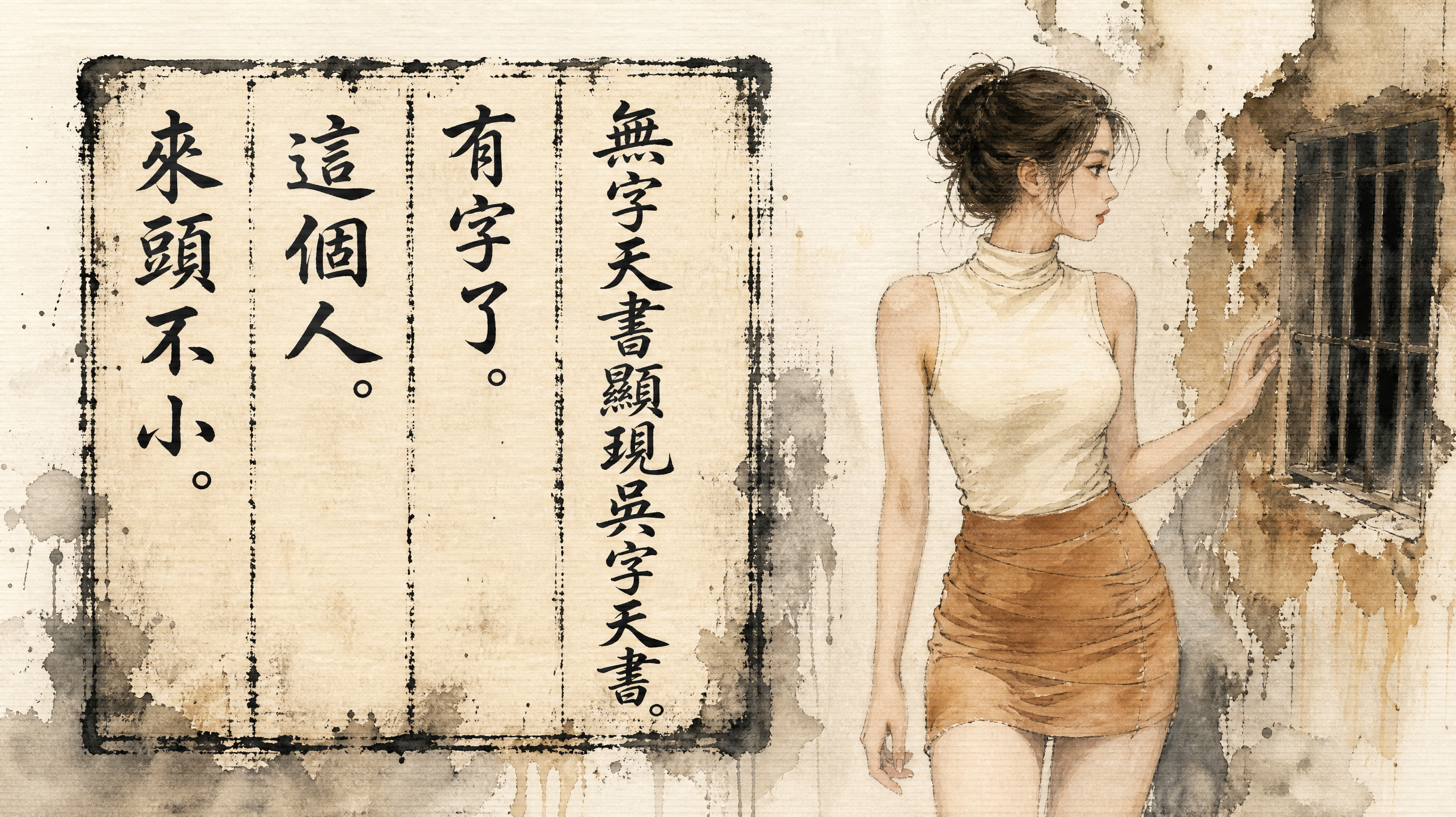
GPT Image 2 - Image To Image
▲古籍文字區塊, 斑駁線條框內的手寫體漢字書法, 筆畫粗細各異的墨色文字, 東方傳統印刷古籍經典書冊頁面的斑駁摩擦磨損線條框內有這些文字,但是畫面沒有書本書籍,每行文字均有斑駁線條區隔,單色墨印;手寫體漢字書法筆畫粗細各異: 無字天書顯現吳字天書。有字了。這個人。來頭不小。 ▲繪圖風格: 黑色墨水輪廓勾勒與柔和水彩渲染, 交叉排線陰影技法與邊緣暈染效果, MBM素描紙的橫條紋理質感, ▲搭配附件檔 ▲搭配一名女子類似附件檔的服飾,依據故事意境改變姿態
Built for real image API workflows
Account-gated execution
Users sign in, submit jobs, and consume credits through the existing SdanceAI generation flow.
Input image handling
Image to Image accepts source image URLs, so teams can keep references in their own asset pipeline while generating new variations.
Cost-aware resolution
Start with 1K for fast iteration, then move to 2K or 4K when the prompt and visual direction are ready.
GPT Image 2 API questions
What is GPT Image 2 API best for?
It is best for prompt-based image generation and reference-guided image editing, including product visuals, ads, social creatives, posters, and design mockups.
What is the difference between Text to Image and Image to Image?
Text to Image starts from a prompt only. Image to Image uses one or more source image URLs plus a prompt, making it better for edits, variations, and reference-preserving workflows.
Which resolutions are available?
The current API configuration includes 1K, 2K, and 4K pricing tiers. Choose lower resolution for iteration and higher resolution for final assets.
Which aspect ratios can I use?
The available aspect ratios include auto, 1:1, 9:16, 16:9, 4:3, and 3:4. Match the ratio to your target channel before generating final assets.
How many input images can Image to Image use?
The configured image-to-image payload supports input image URL arrays, with up to 16 source images.
Where can I test it before integrating?
Use the playground on this page to test prompts, input image URLs, aspect ratio, resolution, and API payload behavior before moving into production.
Can I use GPT Image 2 API for commercial workflows?
This page is configured for production image workflows. For commercial use, review your account plan, credit balance, model availability, and applicable content policy requirements.
Does the API support callbacks?
Yes. The request schema includes an optional callback URL so your service can receive task completion notifications.
How should I manage cost?
Use 1K for prompt exploration and bulk drafts, then regenerate selected winners at 2K or 4K when you need sharper final output.
Can I edit existing product photos?
Yes. Use Image to Image with source image URLs and a prompt that describes the exact background, lighting, layout, or styling changes you need.
Turn GPT Image 2 into your image workflow
Open the generator, test a prompt or reference image, then use the API docs when you are ready to connect GPT Image 2 to production.